
The Ladbrokes app keeps getting better.
Build multis with fewer taps in the new, improved betslip, which pops up as you place your bets, so you can stay in the action without breaking stride.
We’ve also improved the betslip layout, making it easier to set your stakes, choose bet types and more. Need more funds for a last-minute punt? No worries. The upgraded Quick Deposit makes it easier than ever to top up your balance so you can place your bet before the jump.
Finding your offers is now easier than ever. Access all your promos from the home screen or via the Account Hub, with everything in one place, so you never miss a trick.
Tap your balance to launch the Account Hub, where you can manage your money, view promos, Mates Mode, Blackbook and more. Pending and resulted bets are now easier to access via the My Bets link in the footer. Too Easy.
1. NEW BETSLIP
Includes
- Betslip sheet view
- Betslip bar
- Product switching between Fixed and Tote odds
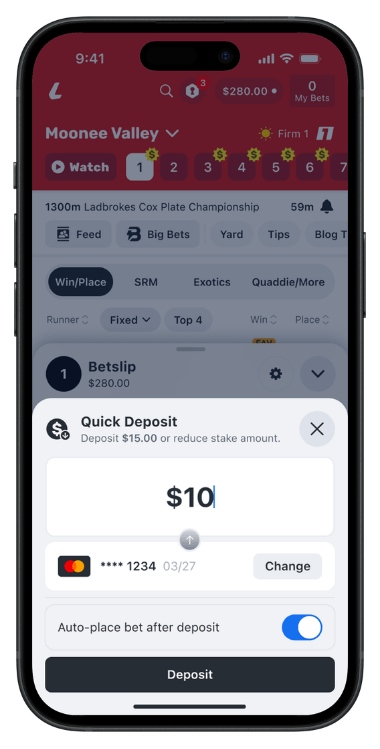
- Quick Deposit
- Betslip settings
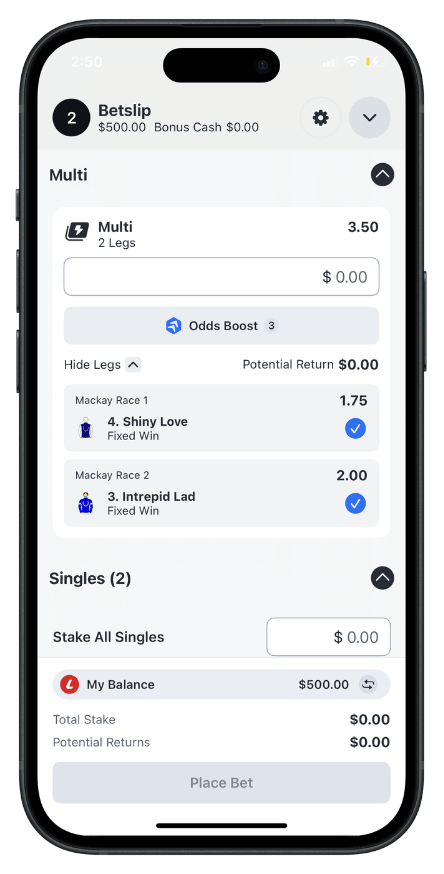
- Multi-first bet ordering
The new, improved betslip pops up from the bottom of the screen when you add a selection, so you can keep building your bet without being taken away from the action.
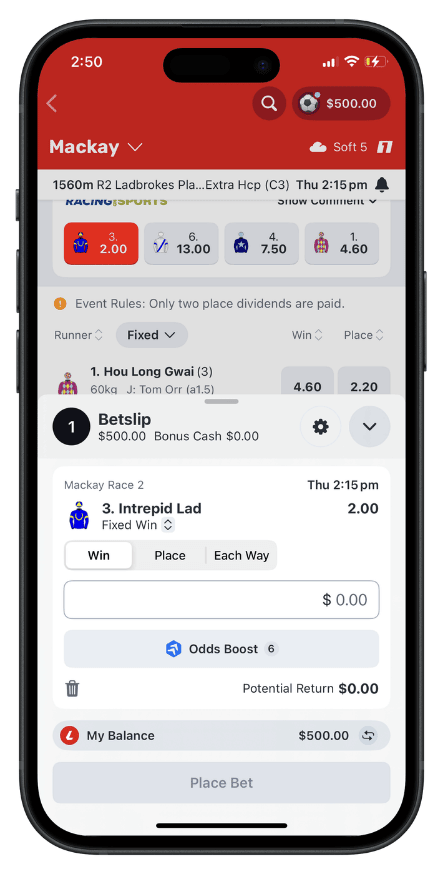
You can review your selections, set your stake, choose available bet types and switch between Fixed and Tote odds directly from the betslip.
The betslip bar gives you quick access to what’s inside your betslip as you move through the app, with a simple way to return to your selections whenever you need it.
Need to top up before the jump? The upgraded Quick Deposit makes it easier than ever to add funds without leaving the betslip, so you can place your bet faster.
If you’re building a multi, it will appear first when you open the betslip, so you can pick up where you left off without searching.
You can also set the betslip to match the way you bet. If you like backing singles, set it to open on your first selection. More into multis? Keep it minimised and keep adding selections without interruption.
2. ACCOUNT HUB
Includes
- Balance / profile entry point
- Money management
- Balance overview
- Bonus cash
- Bonus bets
- Promotions
- Boosts
- Bet backs
- Exclusive odds
- Deposit and withdrawal access
- Quick links to key features
- Mates Mode
- Blackbook
- My Account updates
- Notifications
- Help and support
Tap your balance or profile icon to open the Account Hub, where you can manage your money, view promos and access key Ladbrokes features.
The Account Hub gives you a clearer overview of bonus cash, bonus bets, promotions, boosts, bet backs and exclusive odds, so it’s easier to see what you have available to use.
You’ll also find quick links to features like Mates Mode and Blackbook, making them faster and easier to access.
Deposit and withdrawal functionality remains unchanged, so you can continue adding funds and withdrawing money the same way you do today.
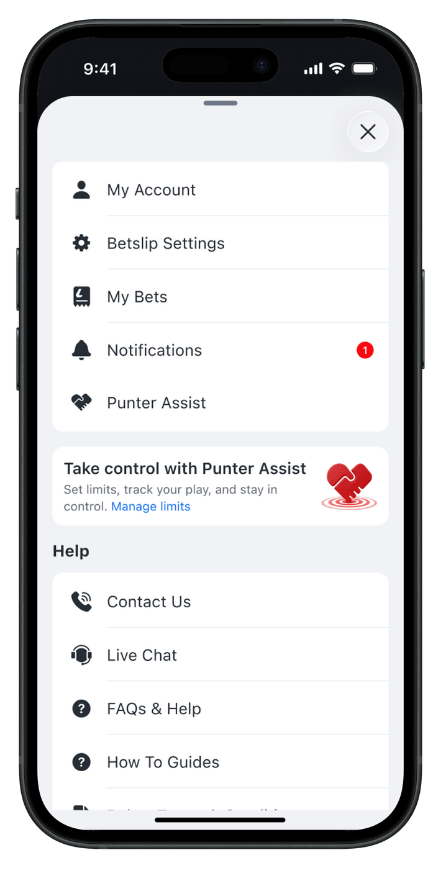
The My Account section has been reorganised into a clearer list format, now including notifications, while Help and Support remain easy to access.
3. MY BETS
Includes
- Pending bets
- Resulted bets
- My Bets footer navigation entry point
- Easier access to betting activity
Pending and resulted bets are now easier to access via the My Bets link in the footer navigation.
This gives you a quicker way to check your betting activity as you move through the app, making it easier to keep track of your bets without needing to search.
